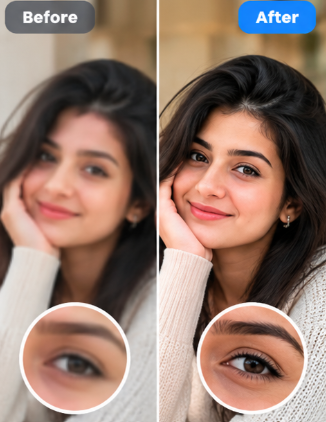
 Low-light portraits
Cleaner portraits
Reduce visible grain in indoor and low-light portraits while keeping facial texture looking natural.
Turn grainy, noisy and low-light photos into cleaner, smoother images while keeping natural-looking detail.
Clean up JPG, PNG and WebP images directly in your browser. No watermark, no uploads to an AI server and no account required.


Simple, private and accessible to everyone
Upload your image, choose a denoise strength and compare the cleaned result before downloading it.
Drag and drop your image here, or select a file from your device
No subscriptions or daily limits.
Start denoising immediately.
Download clean, usable images.
Your image stays in your browser during AI processing.
Reduce visible grain and unwanted noise in portraits, product photos and everyday images without changing their resolution.
Low-light portraitsReduce visible grain in indoor and low-light portraits while keeping facial texture looking natural.
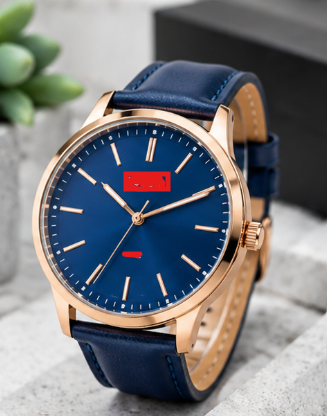 Product photos
Smooth unwanted camera noise in product shots for stores, catalogs and marketplace listings.
 Travel & landscapes
Clean up noisy travel, landscape and everyday photos without enlarging or changing the original dimensions.
No design experience, registration or expensive software needed.
Select a JPG, PNG or WebP image from your device.
Select subtle, balanced or strong cleanup depending on the image.
The AI model processes the image locally in memory-safe tiles.
Drag the comparison slider, then save the denoised PNG.
Reduce visible grain created by shooting in darker conditions.
Clean camera noise from everyday mobile photography.
Improve the appearance of noisy ecommerce photography.
Reduce grain and noise in scanned or older personal images.
Clean up night scenes and high-ISO travel images.
Prepare cleaner visuals for blogs, landing pages and presentations.
DommyTools AI Image Denoiser is a browser-based image cleanup tool designed to reduce visible noise in JPG, PNG and WebP images. The tool uses dommyengine Real-PSNR through ONNX Runtime and keeps the output at the original image resolution.
Whether you need to clean a low-light phone photo, reduce camera grain in a portrait or improve a noisy product image, you can upload an image, choose the denoise strength and compare the result without installing desktop software.
Traditional image editing tools often rely on blur or manual noise reduction controls. AI denoising instead uses a trained model to estimate a cleaner version of the image while preserving the same pixel dimensions.
DommyTools is designed for quick access. You can choose an image, process it in the browser and download the denoised PNG without creating an account or adding a watermark.
The AI model runs locally in your browser using ONNX Runtime Web. The processing flow is designed so the selected image does not need to be sent to an external image-processing API.
Yes. The denoiser is designed to be free to use without a paid subscription.
No. You can upload and process an image without creating an account.
JPG, JPEG, PNG and WebP images are supported up to the current browser-safe limits.
No. The output keeps the same width and height as the uploaded image.
Subtle keeps more original texture, Balanced is intended for general use, and Strong applies the most aggressive cleanup.
The current tool accepts image files up to 20 MB, with additional pixel limits used for browser stability.